Duplicate purchases
Three open boxes of pasta happen when nobody checks what is already on the shelf.
Finding your inventory...
Checking every location, area, and category.
Pantry inventory app
Track pantry items, quantities, storage locations, and expiration dates so your household knows what you have and what needs restocking.
Pasta
Pantry / Shelf 2
Canned tomatoes
Pantry / Top Shelf
Rice
Pantry / Lower Shelf
The pantry problem
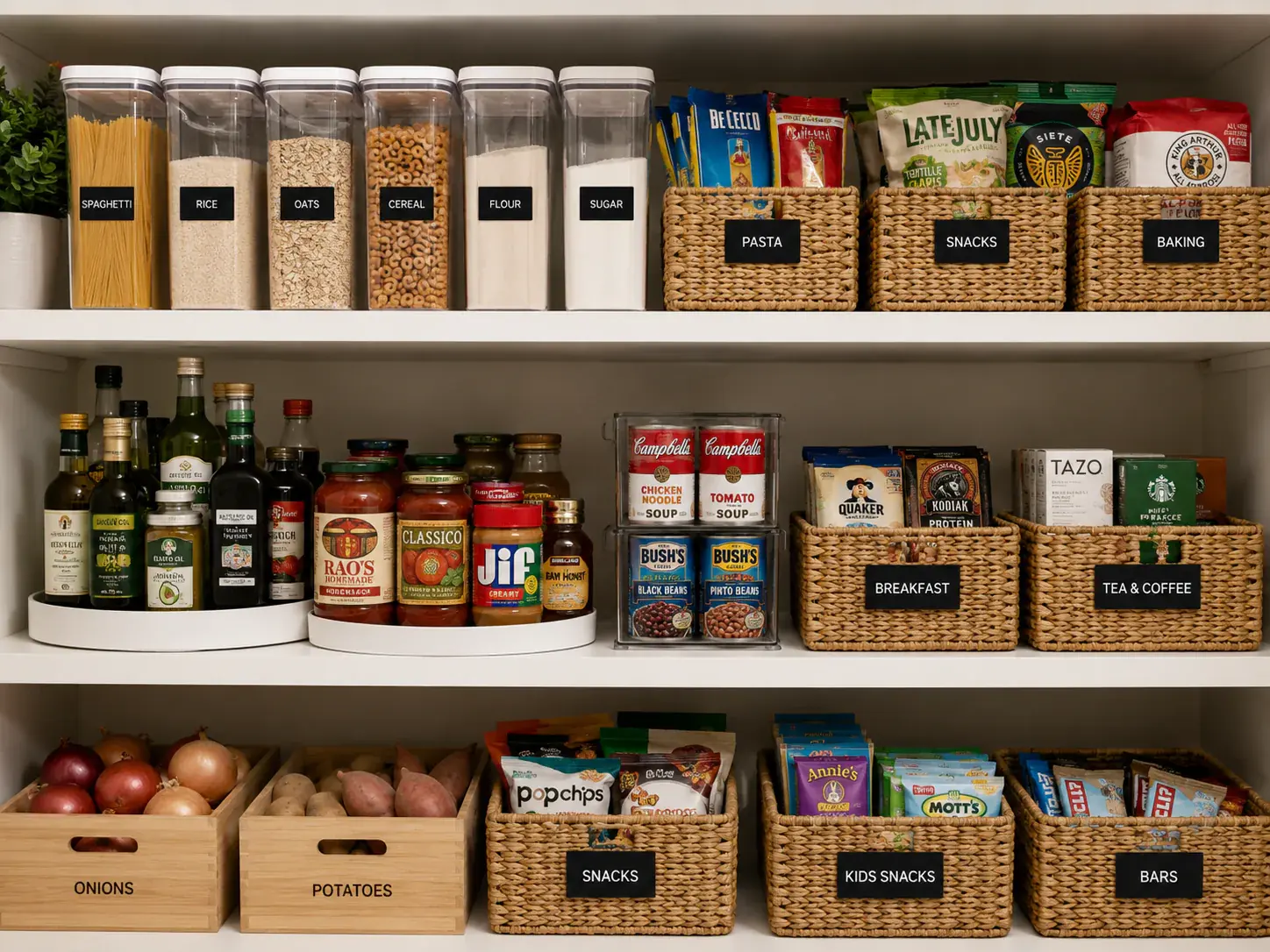
Pantry organization breaks down when food is spread across shelves, cabinets, refrigerator space, freezer storage, and overflow areas.
Three open boxes of pasta happen when nobody checks what is already on the shelf.
Ingredients disappear behind bins, cans, bags, and extra kitchen storage.
Expiration dates are easy to miss when food is spread across shelves, cabinets, and the fridge.
Staples run out faster when nobody knows the current quantity.
Multiple household members can buy the same thing when there is no shared source of truth.
Pantry food, refrigerator items, freezer goods, and backup supplies rarely live in one place.
Pantry organization
WhereKeep uses locations, storage areas, categories, and items so your pantry inventory can match the real layout of your kitchen.
Example path
Home -> Kitchen -> Pantry -> Top Shelf
That makes it easier to find ingredients, backstock, and household supplies without opening every cabinet.
Storage paths
Pasta
Rice
Canned tomatoes
Paper towels
Quantity tracking
Quantity tracking helps you spot what is stocked, what is low, and what may need to go on the next grocery list.
Quantities
Pasta
Pantry / Shelf 2
Canned tomatoes
Pantry / Top Shelf
Rice
Pantry / Lower Shelf
Coffee filters
Kitchen Cabinet
Expiration tracking
Save expiration dates on food and see what is expired or expiring soon before it gets buried behind the next grocery run.
Expiration dates
Restocking
WhereKeep helps surface low-stock items without pretending to automate the shopping decision for you.
Items with quantity one or zero can be treated as low-stock or empty, helping your household decide what belongs on the shopping list.
Low stock
Shopping list
Keep pantry restocking organized with WhereKeep shopping lists for the items your household needs.
Shopping list
Household pantry
Before someone buys another jar, box, or bottle, they can check whether the household already has it.
Shared household
Owner
Manages household access
Editor
Adds and organizes inventory
Viewer
Searches and checks what is stored
Beyond the pantry
WhereKeep can help organize pantry shelves, refrigerator items, freezer storage, cabinets, and household supplies. It can also help you organize your entire home inventory.
Track short-life foods and where they are stored.
Keep frozen items from getting forgotten behind other food.
Save backup spices, coffee filters, paper goods, and supplies.
Organize shelves, bins, baskets, and everyday staples.
Track overflow supplies and bulk purchases stored outside the kitchen.
Use the same system for cleaning products, paper goods, and backstock.
How it works
Start with the foods and supplies you forget most often, then build out the rest of your kitchen inventory over time.
Create pantry item records with names, quantities, expiration dates, notes, and photos when useful.
Choose the location and storage area so each item has a real place in your household inventory.
Review quantities, expiring items, low-stock supplies, and your shopping list before another grocery run.
Pantry use cases
Check the pantry before shopping so staples do not get bought twice.
Keep track of extras from warehouse stores without forgetting what is in backstock.
See whether common ingredients are available before planning meals or writing a grocery list.
Use expiration information to spot food that should be used soon.
Comparison
A list can help for one grocery trip. A shared pantry inventory is built to keep working after items move, expire, or get used.
FAQ
A pantry inventory app helps you track the food and household supplies you already have, including quantities, storage locations, and expiration dates.
Add pantry items to WhereKeep, save where each item is stored, and update the quantity as items are used or restocked.
Yes. Inventory items can include expiration dates, and WhereKeep can show expired or expiring-soon items in the app.
Yes. Items have quantity fields, which can help you see what is stocked, low, or empty.
Yes. WhereKeep supports locations, storage areas, categories, and items, so pantry food can be organized by the places it actually lives.
Yes. Household members can share access, and owner, editor, and viewer roles help control what each person can do.
Yes. Refrigerator and freezer spaces can be represented as locations or storage areas, depending on how your household organizes food.
Organize your pantry, track what's running low, and keep expiration dates in one place.